
• Home
  • Images
  • Videos
  • Agent
  • Prompts
  • Assets
  • Plugins
Faceless videoMotion videoProduct ads
Agent

AI Video Agent: Say Your Idea, Get the Video

Daily Agent messages: Free 30 · Starter and credit packs 200 · Pro 500 · Ultimate up to 2,000 (fair use). Resets at 00:00 UTC.

Faceless video series

Choose a series and the Agent makes a new episode each time: no camera, no host, ready to post.

Famous battle

A 60–90 second battle map animation that explains a real historical battle phase by phase.

For
Educators, history creators and viewers who want a concise battle explainer.
You provide
The name of a historical battle and what you want the explanation to focus on.
You get
An animated historical map video with voiceover and captions in the language you pick.
60–90 s · voiceover · captionsAbout 1,800–3,400 credits

View details

More series are on the way.

Pricing and credits

These are guide ranges, not a charge at the end of the chat. The Agent sets a fixed credit quote for your specific video after it knows the length and complexity. Review the plan and exact quote before you confirm. No credits are reserved or charged before confirmation.

How the AI video agent works

  1. 1Describe

    Describe the video you want. Name a historical battle, a topic or a story idea, plus your priorities.

  2. 2Answer its questions

    The Agent asks for the details it needs to shape the brief, such as what to emphasize or how long the video should be.

  3. 3Review the plan and quote

    See the proposed direction, outline, duration and fixed credit price for this video.

  4. 4Confirm explicitly

    Choose whether to make the proposed video. Nothing is reserved or charged before you confirm.

  5. 5Follow the render

    After confirmation, the Agent makes the video. You can follow its queue and progress on the page.

  6. 6Find it in Assets

    The completed MP4 and captions are saved to your Assets for playback and download.

Videos made with the AI Video Agent

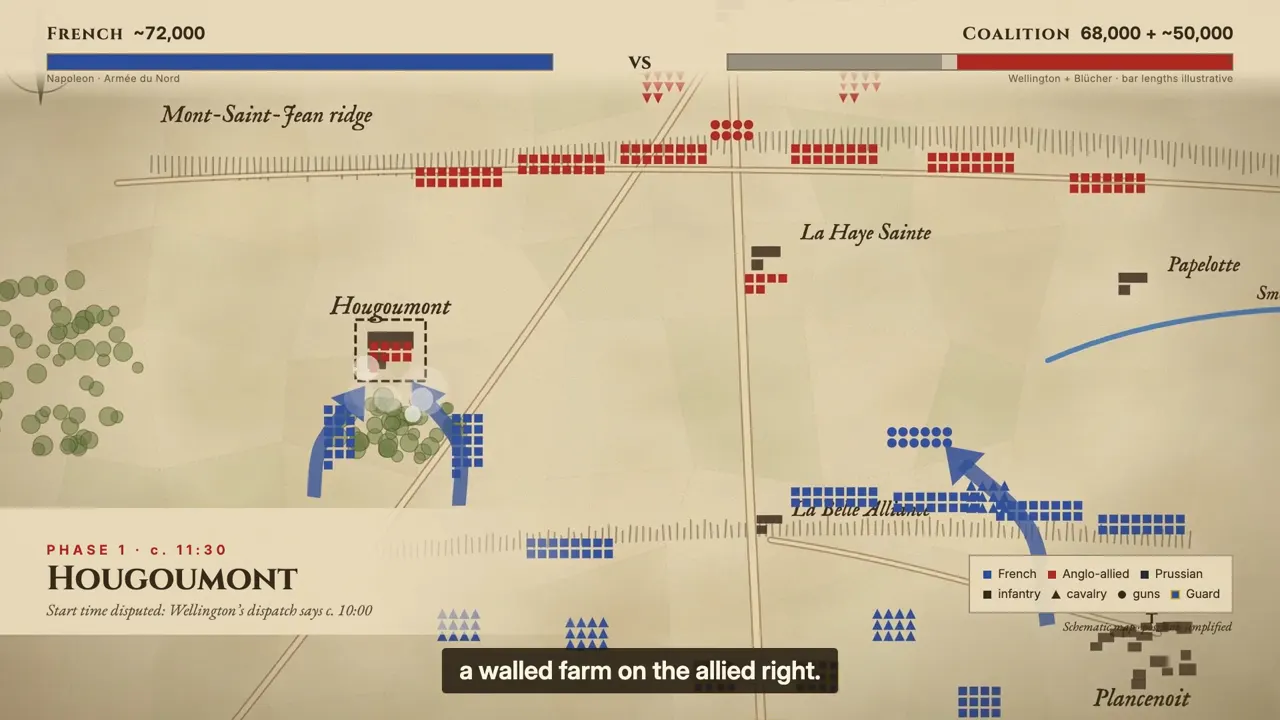
  • Battle of Waterloo explainer

    An animated historical battle map follows positions around Hougoumont and La Haye Sainte.

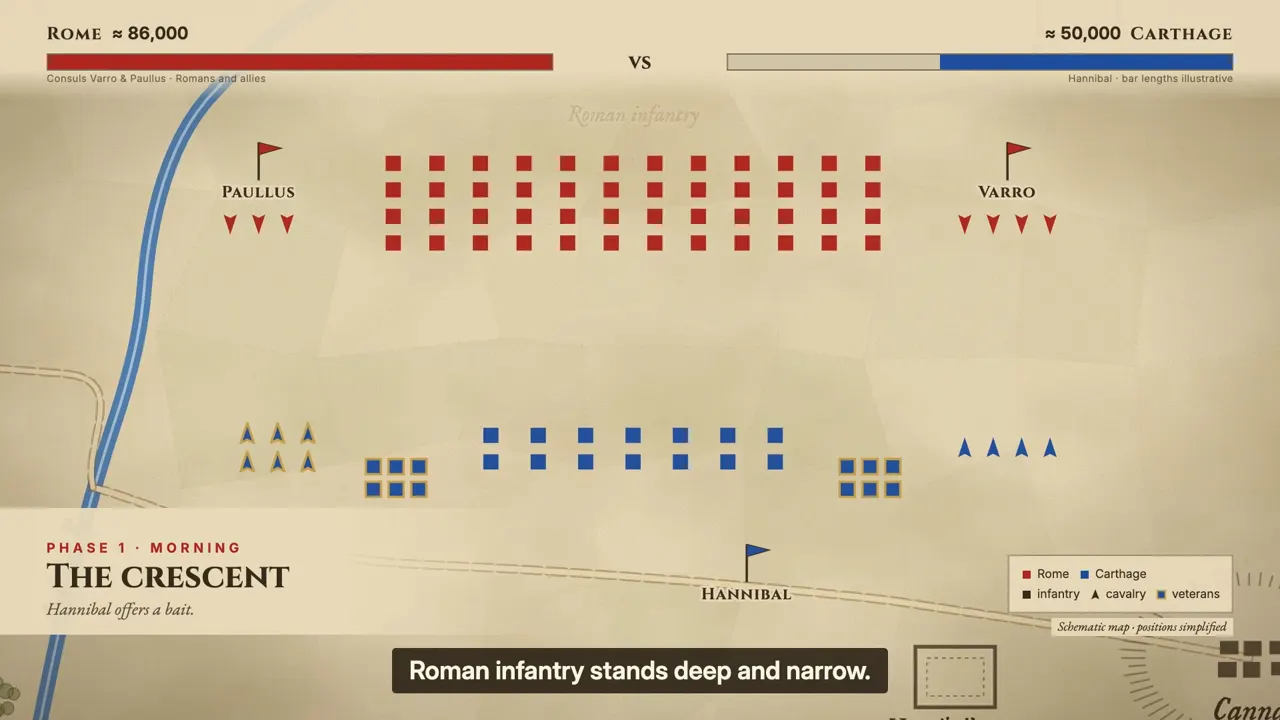
  • Battle of Cannae explainer preview

    An animated historical battle map marks Roman and Carthaginian positions as Hannibal's crescent forms.

Agent or a general AI video generator?

FilmLune offers two different ways to start, depending on the video you need.

AI Video Agent

Use a guided chat for a battle explainer, a story series or an animated style. The Agent asks questions, shows a plan and fixed quote, then waits for your confirmation before rendering.

Planning a whole faceless channel rather than one video? Our sister site FacelessReels plans the series and edits every episode for Shorts, TikTok and Reels.

FilmLune Studio

Choose a video model and direct a bounded clip with your own prompt in Studio. The Agent's guided formats are separate from that flow.

Explore Studio video models

Questions about the AI Video Agent

How much does a video cost?

Each video gets a fixed credit quote before you confirm. The price depends on its length and complexity. One revision costs 300 credits.

How long does it take?

Videos are made one at a time. After confirmation, the page shows the queue and render progress; the total wait depends on both.

What happens if a video fails?

The credits reserved for it are returned automatically. If something interrupts a video, we check it and keep your credits reserved until then.

Which languages are supported?

This page works in ten languages. Pick the narration language below the message box.

Am I charged before I confirm?

No. You can discuss the brief and read the fixed quote first. Credits are reserved only when you confirm a proposal.

Can the Agent make a promo video for my website?

Not at the moment. Website promos are paused while we raise their quality. You can use Studio's video models, or the Agent's battle, story and animated styles.

What are the credit ranges for each video?

Historical battle explainers are about 1,800–3,400 credits for 60–90 seconds. Each other format shows its range on its card. Your proposal shows the fixed quote.

Where does the finished video go?

The completed MP4 and captions are saved to your Assets, where you can play or download them.

Home