
FilmLune · AI generator and gallery
Curated prompts | Create AI images & videos with ease
Understand FilmLune
FilmLune combines an AI image generator with a gallery of image and video examples. Each detail shows the result, available prompt, declared model, and a method you can adapt.
Explore all promptsA readable method
Two ways in
Start with an image example for a still composition, or a video example to study motion, inputs, and duration. Both libraries lead to the same canonical case details.
Useful boundaries
Models and settings describe the visible revision: FilmLune does not silently replace a model during handoff. External work keeps its attribution and source link on the detail page.
Only when that revision’s rights permit it. The detail then preserves the prompt and its provenance; an unavailable action is never replaced with invented content.
No. Model versions, inputs, and settings can change the output. Use the method as a starting point and check the parameters before generating.
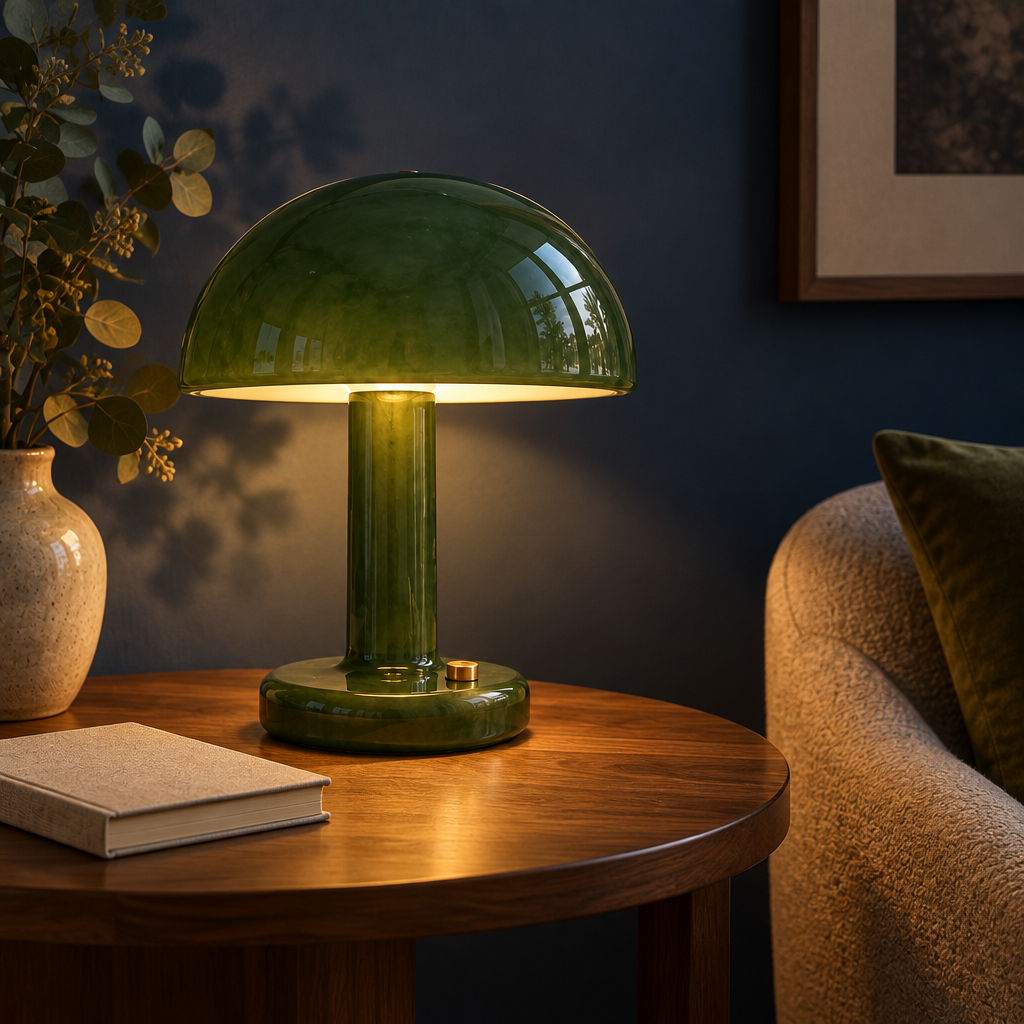
 SpringWangGPT Image 2.5
Use @Image 1 as the reference for the same jade-green glass desk lamp and its silhouette. Create a new original evening still life: place the lamp on a walnut side table against a deep blue wall, with a closed linen notebook nearby and soft amber light. Preserve the lamp shape, change the setting and lighting, no text, no logos, square composition.Recreate an existing jade-green glass desk lamp in a new evening still life: walnut side table, deep blue wall, closed linen notebook and soft amber light, framed as a square composition.
Image prompts and examplesThe goal is to move a specific object — a jade-green glass desk lamp supplied as a private reference image — into an entirely new setting. The lamp's shape and silhouette must stay recognisable, while the environment, time of day and lighting change completely: what starts as a simple product photo becomes a warm, quiet evening interior scene. The result works well for mood visuals, interior staging or supporting imagery for lifestyle content.
1. Start from the owner's private uploaded reference image showing the jade-green glass desk lamp from its exact profile. 2. Ask GPT Image 2.5 to faithfully preserve the lamp's shape, silhouette and material without altering it. 3. Describe the new scene: the lamp placed on a walnut side table against a deep blue wall. 4. Add a closed linen notebook next to the lamp to bring life to the composition without cluttering it. 5. Specify the lighting: soft, diffuse amber light typical of evening, bringing out the transparency of the glass and the warmth of the wood. 6. Enforce a square (1:1) framing, with no text and no logos, for versatile use. 7. Generate, then check that the lamp's silhouette matches the reference and that the mood stays consistent from foreground to background.
The scene relies on an owner-private uploaded reference image: it cannot be reproduced faithfully from the text alone, and no image prompt should be published in its place. The exact jade-green glass tone and its reflections are a model interpretation, not a guaranteed match to the physical object. The amber evening light can add slight noise or soften detail in the darker areas of the blue wall. The format is locked to square (1:1); adapting it to other aspect ratios would require a new generation.