
FilmLune · AI generator and gallery
Curated prompts | Create AI images & videos with ease
Understand FilmLune
FilmLune combines an AI image generator with a gallery of image and video examples. Each detail shows the result, available prompt, declared model, and a method you can adapt.
Explore all promptsA readable method
Two ways in
Start with an image example for a still composition, or a video example to study motion, inputs, and duration. Both libraries lead to the same canonical case details.
Useful boundaries
Models and settings describe the visible revision: FilmLune does not silently replace a model during handoff. External work keeps its attribution and source link on the detail page.
Only when that revision’s rights permit it. The detail then preserves the prompt and its provenance; an unavailable action is never replaced with invented content.
No. Model versions, inputs, and settings can change the output. Use the method as a starting point and check the parameters before generating.
Prompt guide · AI image
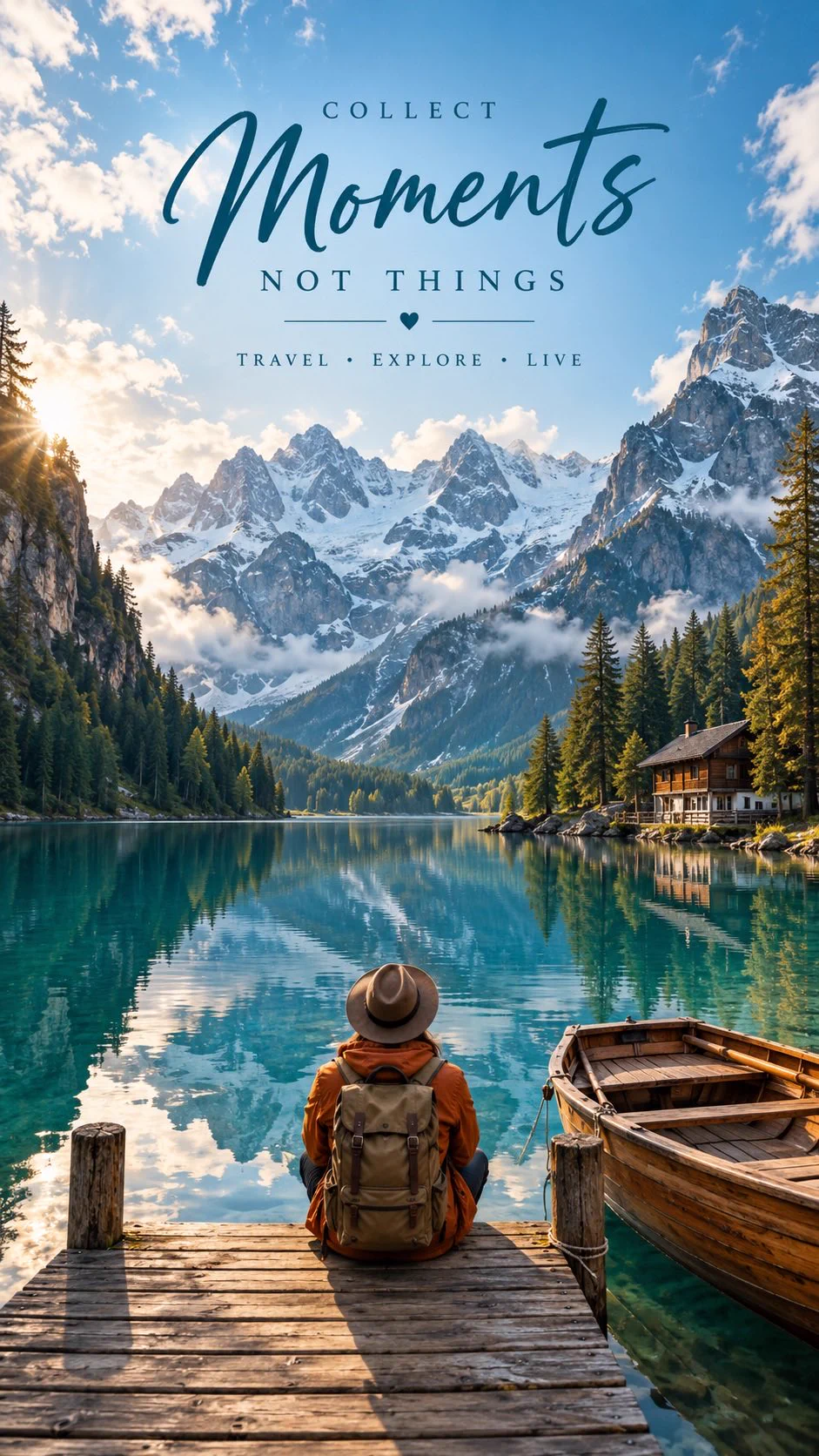
A rear-facing traveler beside a lake anchors the scene while a clear travel-message hierarchy fills the open sky.
Combine an immersive landscape with a legible travel message, reserving the upper sky for type and the lower frame for a contemplative figure.
Use the full prompt with Nano Banana Pro at 9:16. Keep the rear-facing traveler lower centre, the boat on the right and enough open sky for the four text lines. Preserve COLLECT, Moments, NOT THINGS and TRAVEL • EXPLORE • LIVE exactly. Check the lettering, cabin placement and lake reflections. Only the first source image is bound to this recipe. Limitations: The other three images in the same post use different scenes and slogans; they are excluded, not verified recipe variations. The 941 × 1672 X rendition is close to requested 9:16, but does not establish native resolution, seed or provider. No real destination is verified. Changing visible words creates another output requiring review, not a translation of this retained result.
This example is attributed to Aniya Intelligence @aniyaintel.
The work remains attributed to its public source; the link preserves access to its original context.
Review or copy the complete prompt shown on the first screen.
Open the Image Studio with the exact recipe already prepared.
Adapt the subject, style, or constraints you need, then start your creation.