FilmLune · AI generator and gallery
Curated prompts | Create AI images & videos with ease
Understand FilmLune
FilmLune combines an AI image generator with a gallery of image and video examples. Each detail shows the result, available prompt, declared model, and a method you can adapt.
Explore all promptsA readable method
Two ways in
Start with an image example for a still composition, or a video example to study motion, inputs, and duration. Both libraries lead to the same canonical case details.
Useful boundaries
Models and settings describe the visible revision: FilmLune does not silently replace a model during handoff. External work keeps its attribution and source link on the detail page.
Only when that revision’s rights permit it. The detail then preserves the prompt and its provenance; an unavailable action is never replaced with invented content.
No. Model versions, inputs, and settings can change the output. Use the method as a starting point and check the parameters before generating.
 1 / 2
1 / 2Prompt guide · AI image
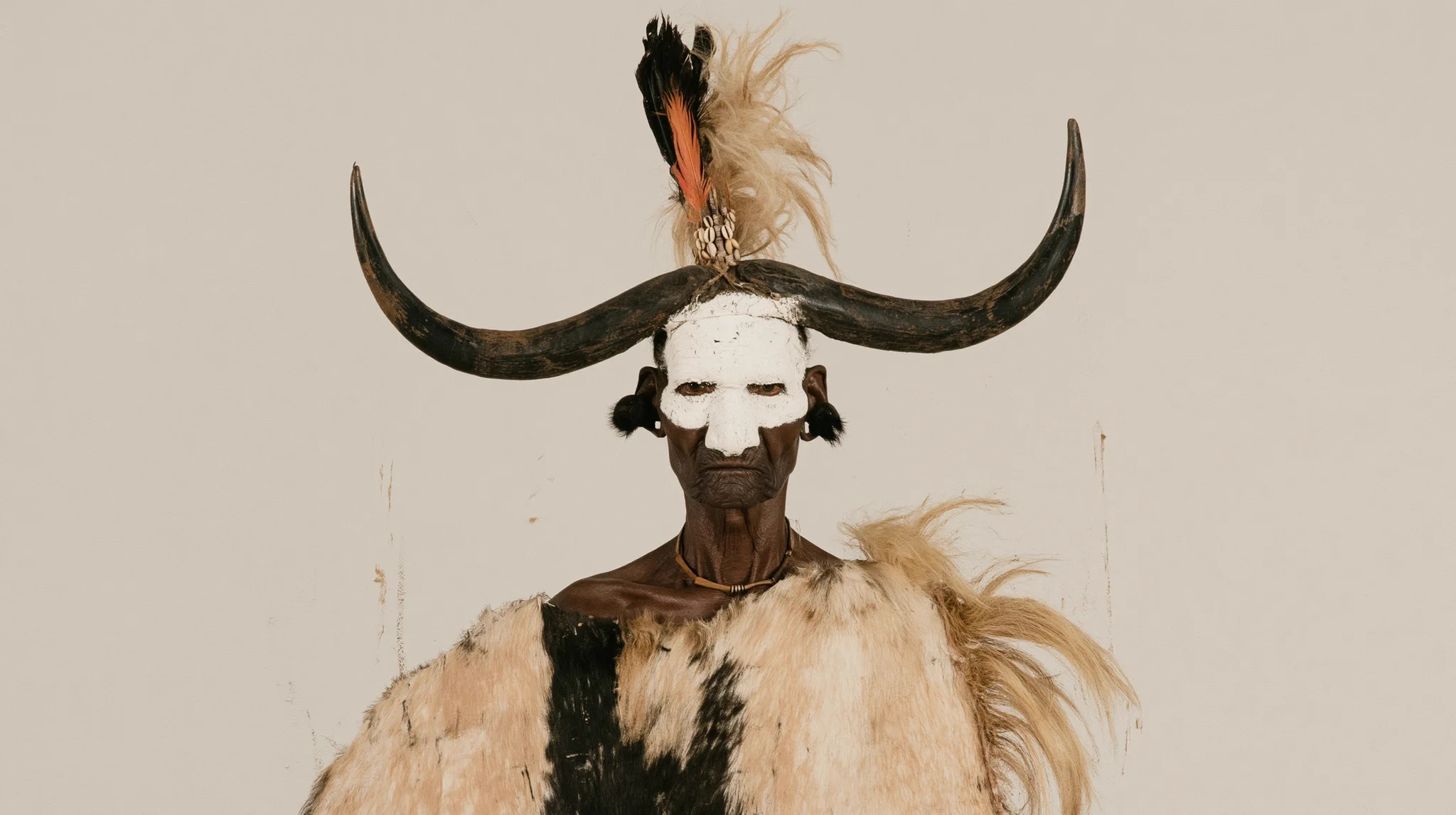
The source description of an Arikara chief is interpreted through light face paint, feathers and hide-like garments in a cinematic portrait.
Create a cinematic portrait of a character described in the prompt without promising historical or cultural accuracy.
To reuse this recipe, describe the elder character, light face paint, feathers and hide-like garments, keep the 16:9 frame, and retain --profile m4t79x6 un6ime3 together with --stylize 300. Use Midjourney V8.2 in 2K; the result is a visual interpretation and does not guarantee historical or cultural accuracy.
This example is attributed to Michael Rabone @michaelrabone.
The work remains attributed to its public source; the link preserves access to its original context.
Review or copy the complete prompt shown on the first screen.
Open the Image Studio with the exact recipe already prepared.
Adapt the subject, style, or constraints you need, then start your creation.