FilmLune · AI generator and gallery
Curated prompts | Create AI images & videos with ease
Understand FilmLune
FilmLune combines an AI image generator with a gallery of image and video examples. Each detail shows the result, available prompt, declared model, and a method you can adapt.
Explore all promptsA readable method
Two ways in
Start with an image example for a still composition, or a video example to study motion, inputs, and duration. Both libraries lead to the same canonical case details.
Useful boundaries
Models and settings describe the visible revision: FilmLune does not silently replace a model during handoff. External work keeps its attribution and source link on the detail page.
Only when that revision’s rights permit it. The detail then preserves the prompt and its provenance; an unavailable action is never replaced with invented content.
No. Model versions, inputs, and settings can change the output. Use the method as a starting point and check the parameters before generating.
Prompt guide · AI image
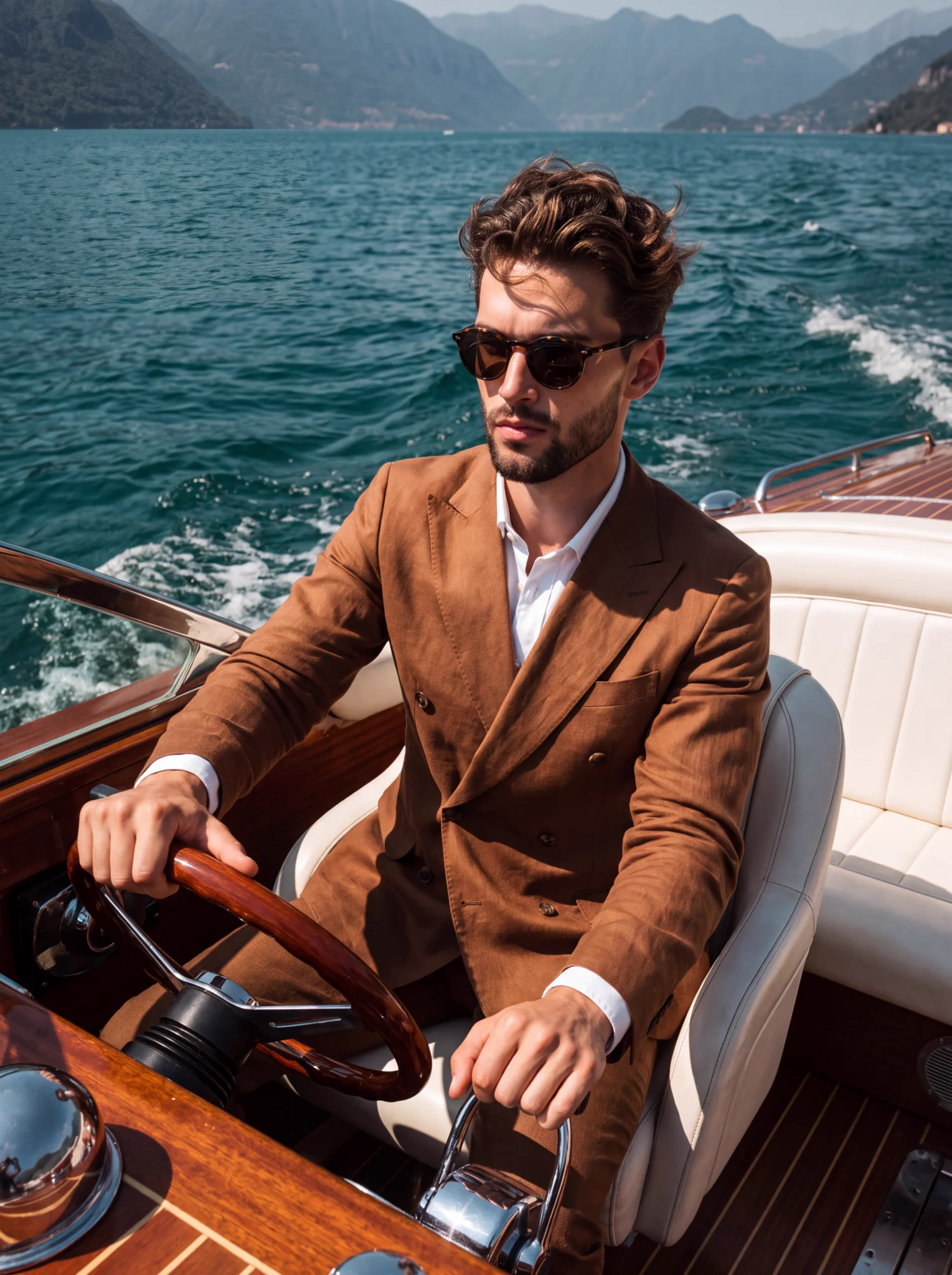
A high-contrast lifestyle portrait combining brown linen, polished wood and an alpine lake.
Create a leisure portrait where the linen suit, hands on the boat controls and mountain lake all support one readable activity.
Use the complete prompt with Nano Banana Pro in vertical 3:4. Keep the passenger-seat viewpoint, wooden wheel, throttle lever and warm-brown linen against blue water. Adapt clothing or landscape without losing the hand-to-control relationships. The 35 mm and f/5.6 phrases describe the desired look, not verified photographic metadata. Limitations: The prompt puts the left hand on the wheel and the right on the throttle; the reviewed image reverses those left/right roles. One hand is still steering and the other is on the throttle, but the pose is not a literal reproduction. The base recipe requires no reference image. The example is not a FilmLune reproduction or a work attributed to the photographer named as an inspiration in the prompt. The 1529 × 2048 archive is an X-distributed version, not the generator’s native file; exact settings and seed are not evidenced.
This example is attributed to Picts by AI @pictsbyai.
The work remains attributed to its public source; the link preserves access to its original context.
Review or copy the complete prompt shown on the first screen.
Open the Image Studio with the exact recipe already prepared.
Adapt the subject, style, or constraints you need, then start your creation.