

MiniMax H3 AI Video Generator
Loading…
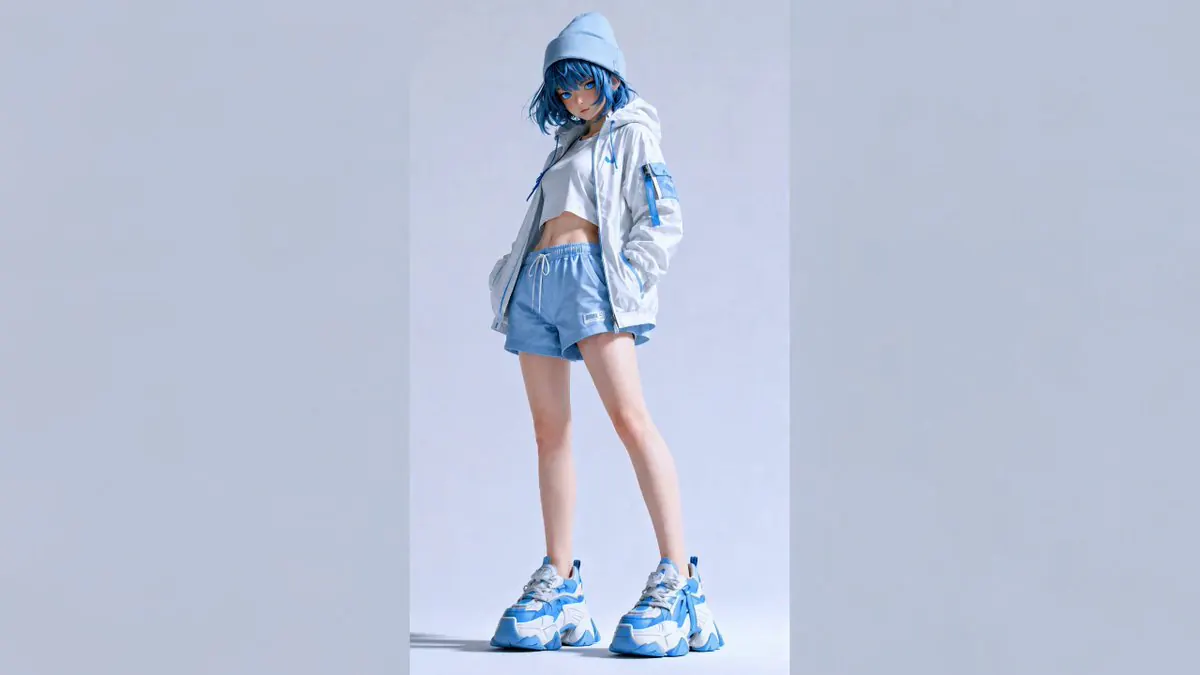
Create a short action, portrait or product-motion clip with MiniMax H3 on FilmLune. Describe one readable movement, choose the connected duration and output tier, and use supported references when they help communicate the scene. The exact credit quote appears before submission.
MiniMax H3: What you can create
Build the clip around an action with a beginning, middle and finish. A person reaches for a camera, picks it up and looks toward the window; a product turns slightly while the light reveals its surface. Giving each beat room to happen is more useful than filling a short prompt with many unrelated gestures or locations.
MiniMax H3 on FilmLune is a bounded clip generator with configured 768P and 2K choices. Select the output tier and duration in the editor, then review the quote. A published example demonstrates its specific brief and settings, not a guarantee that every movement or reference will work the same way. Inspect the whole video for anatomy, object contact, background continuity and any audio behavior of the selected option.
Creative controls and practical strengths
Give a character action a clear rhythm
Write the movements in order and keep the object interaction specific. “Touch the handle, lift the cup, then look up” is easier to judge than “move naturally and do something cinematic.” Keep the camera movement modest while the action is complex. After generation, inspect hands and object contact across the clip rather than only at the opening pose.
Use a reference for the detail that matters
When the current editor offers a character, image or video reference, explain what that input should contribute. A person reference can guide appearance, while a scene reference can guide the environment. Do not assume that an ordinary reference-video input is an exact action-transfer or person-replacement workflow. Use a direct description of the intended action and review the result.
Choose between the connected output tiers
FilmLune’s current H3 options include 768P and 2K with the durations shown in the table. Both resolution and clip length affect the configured quote. Choose the output that suits the destination and review the actual dimensions and total before confirming. This page does not inherit a competitor’s unlimited-free offer or promise a fixed generation time.
Published examples from this model
Open a published case for its prompt, exact model and source information. Results from one version do not demonstrate every version in the family.
Compare the current versions
These options come from FilmLune’s connected catalog. Select an exact version in the generator to review the complete settings and quote.
| Version | Output | Duration | Supported references |
|---|---|---|---|
| MiniMax H3 | 768P / 2KMP4 | 4–15 s | Character images · Video references · Image references · Start / end frames |
Ways to use this model
Small human actions
Give the adult subject one task with a stable setting and a clear finish. Keep props few and make their placement explicit. Review eye direction, hands, clothing and contact with objects; these details often determine whether a simple action reads convincingly.
Product handling shots
Describe how the product is held or moved and which details must remain stable. Limit camera movement so the product stays readable. Compare the object’s shape and marks from beginning to end before using the clip in a product presentation.
Short mood sequences
Use one scene and one visible change: a curtain moving in the breeze, a person turning toward light or reflections shifting across a surface. A quiet clip can support a larger project, but this generator does not automatically edit a multi-scene sequence or add a complete soundtrack.
How to generate
Write a focused brief
Start with one subject and a clear composition or action. Explain what must stay and what may change when using references. The templates below are starting briefs you can adapt.
Choose the version and output
Select the exact model version, frame and output settings in the shared generator above. Use only its available inputs. Review the complete credit quote before confirming the request.
Review the complete result
Check important details and, for a video, watch the entire clip. Refine one instruction at a time. Your completed private creations remain in History; public sharing is a separate action.
Prompt templates to try
Character action
One continuous shot of an adult photographer beside a window. The person reaches for a small camera on the table, lifts it carefully, then looks outside. The filming camera tilts gently from the hands to the face. Natural room light, stable background, no cuts.Use a small ordered action with readable object contact.
Product handling
Close shot of an adult hand gently turning a ceramic cup on a wooden table. Keep the cup’s glaze, handle and shape consistent. Soft window light, steady camera and one slow movement. No added text or scene change.Keep the product and camera stable while one interaction unfolds.
Before you generate
- Watch the complete clip for identity, motion, object contact and scene continuity; a good first frame is not enough.
- Each request creates one bounded clip. Automatic editing, captions, voiceover and long-video assembly are not included.
- Only use permitted references and current input combinations. Exact action transfer or person replacement is not guaranteed by a general video generator.
Your generations stay private in History by default. Publishing a case is a separate reviewed action.
Choose your credits
One FilmLune credit balance across connected models. Review the exact generation quote before confirming. Plan prices are listed on Pricing.
STARTER
$19.99 /month2,100 credits/month
View plans ↗PRO
$59.99 /month6,700 credits/month
View plans ↗ULTIMATE
$119.99 /month14,300 credits/month
View plans ↗MiniMax H3: Frequently asked questions
How long are MiniMax H3 videos on FilmLune?
The currently configured duration range is listed in the table and selected in the generator. FilmLune’s H3 catalog offers short clips rather than automatic long-video assembly. Choose an allowed duration that gives the action enough time to finish.
What resolutions can I select?
The connected H3 options include 768P and 2K. The actual output dimensions depend on the selected frame. Use the generator controls and quote for the exact combination; writing a larger resolution in the prompt does not select an unsupported output.
Does a reference video guarantee the same motion?
No. A supported reference can guide the request, but exact action transfer or person replacement needs a dedicated workflow and separate acceptance. Describe the action sequence clearly and inspect the generated clip for movement and identity consistency.
Is MiniMax H3 unlimited and free here?
FilmLune applies the credit quote shown for the selected H3 request. An offer on another website does not apply to FilmLune. Pricing lists the current credit packs and subscriptions, while the generator shows the cost of your exact duration, resolution and inputs.
Why does a simple action sometimes look wrong?
Hand contact, object geometry and timing can still fail in a generated clip. Reduce the number of simultaneous movements, stabilize the camera and describe the action order. Compare the full result and revise one specific instruction at a time; each new request has its own quote.
Where can I inspect the completed clip?
Completed private outputs are saved in History. Watch the entire clip and check the person, product, background and sound before using it. Public gallery examples are separately reviewed published cases, not an automatic projection of your private generation.