Up to 40% less per creditEligible accounts: 30 signup credits
  • Home
  • Agent
  • Videos
  • Images
  • Prompts
  • Assets
  • Plugins

Loading…

FilmLune

From real examples to AI image and video creation.

Models

Image models

  • GPT Image 2
  • GPT Image 2.5
  • Midjourney V8.1
  • Midjourney V8.2
  • Nano Banana Pro
  • FLUX 3 Image
  • Qwen Image 3.0 Pro
  • Seedream 5.0 Lite

Video models

  • MiniMax H3
  • Seedance 2.0
  • Seedance 2.0 Mini
  • Seedance 2.5
  • Dola AI alternative
  • Kling 4.0
  • Wan 3.0
  • Gemini Omni Flash 1.1
  • HappyHorse 1.1
  • FLUX 3 Video
  • MiniMax H3 Max

Create

  • Open Studio

Tools & Skills

  • Features
  • MCP server

Resources

  • All resources
  • Changelog

Prompts

  • Explore prompts
  • Image prompts
  • Video prompts

FilmLune

  • Contact
  • Pricing

Community

  • Follow FilmLune on X ↗
  • Join Discord ↗

Legal and privacy

  • Terms
  • Refunds
  • Privacy Policy
  • GDPR
  • CCPA
  • Cookie choices
  • Sharing rules

© FilmLuneKeep creative work and trustworthy information close at hand.

Home

Loading…

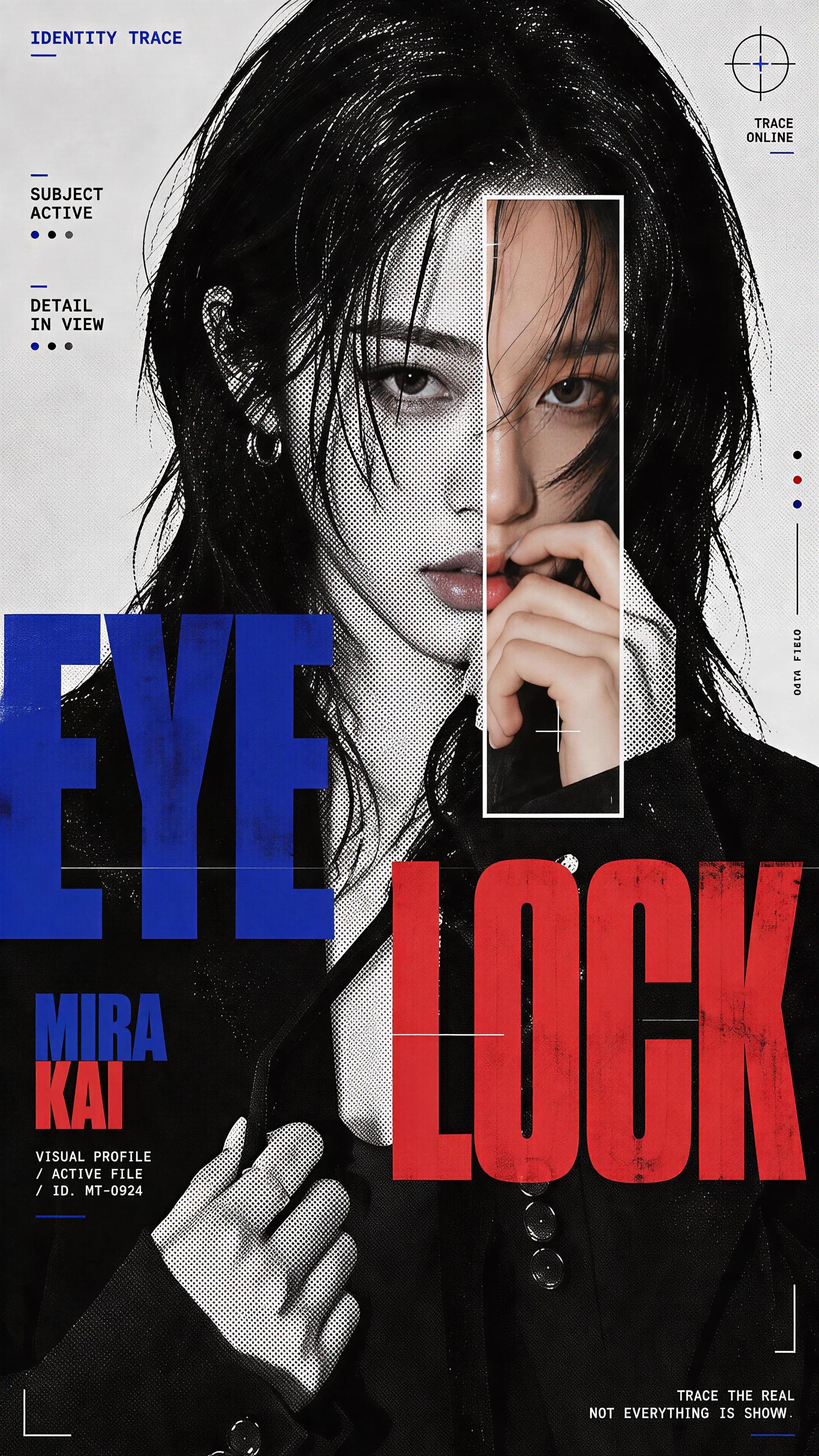
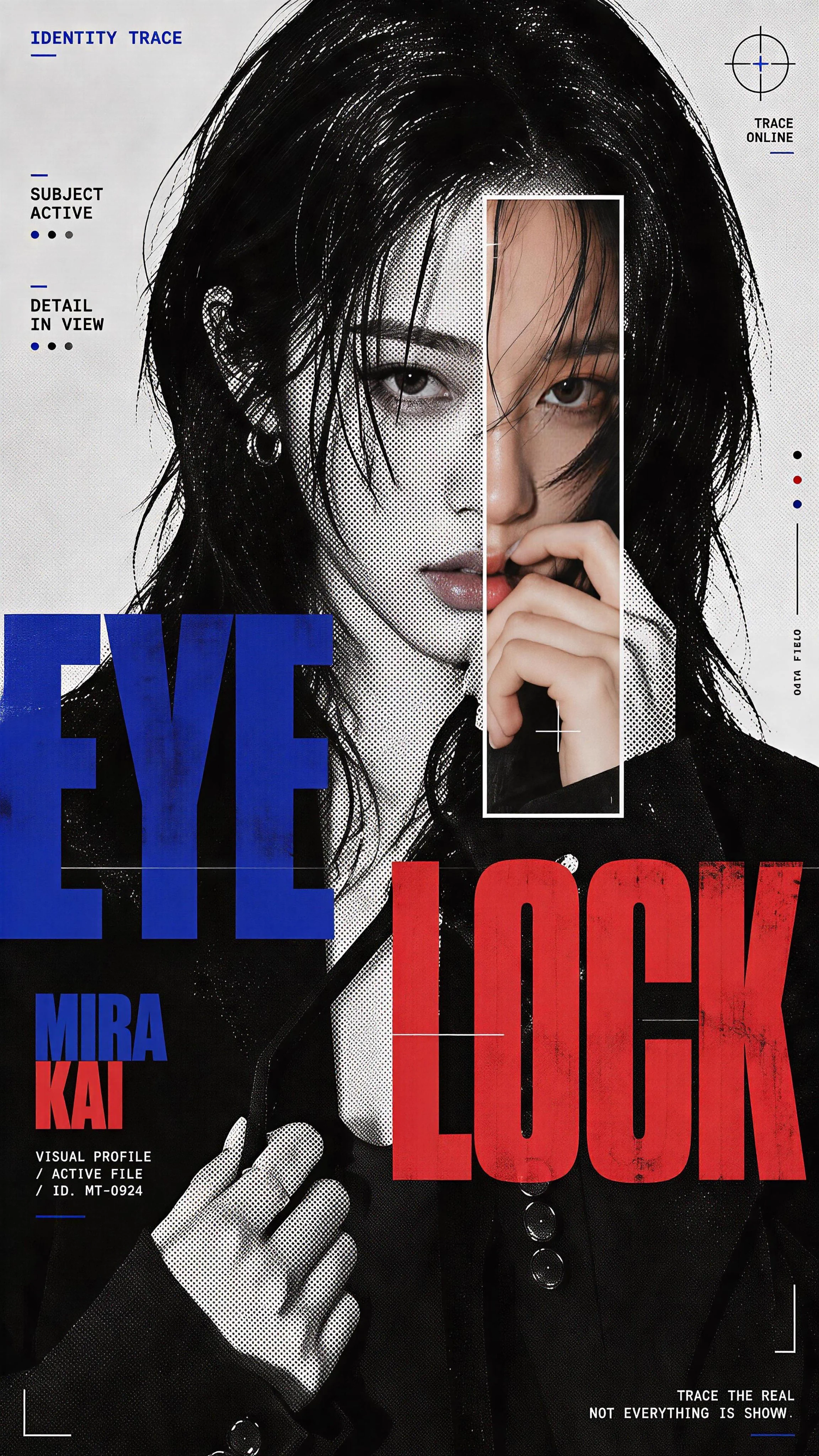
Prompts/AI image prompts/Halftone Portrait Poster with a Colour Scan Window
1 / 4
esc
Halftone Portrait Poster with a Colour Scan Window — Media item 11 / 4
Larus Canus@MrLarus
GPT Image logoGPT Image
PROMPT
Create a 9:16 experimental character poster using a close or waist-up portrait with expressive body language.

Keep most of the portrait in high-contrast black and white, then add a clear halftone screen-print effect. Use finer dots on the face and denser dots in the hair, clothing and shadows, so it feels like a printed zine rather than simple photo grain.

Add one color scan window through an important part of the portrait. It can run vertically across the eye, face and hand, horizontally through the eyes and gesture, or extend from the face down into the collar and body.

Inside this window, return to clean high-resolution photography with realistic cool-neutral skin, blue-grey shadows and natural lip tones. Keep it crisp and free of halftone texture so the contrast between “printed portrait” and “real detail” feels obvious.

Use oversized condensed typography as part of the composition rather than placing a title in empty space. Let the letters crop off the canvas, overlap the body, pass behind the subject or cut across the scan window.

Keep the palette restrained: black, white and cool grey as the base, then one cool blue and one muted red / burgundy as accents.

Only add a few small identity-style labels such as “IDENTITY TRACE”, “SUBJECT ACTIVE”, “GESTURE READ” or “FEATURE ACTIVE”. A few thin lines, circles and open corner marks are enough.

The final image should feel like a mix of youth-culture poster, printed zine, character dossier and experimental magazine editorial.

Avoid warm yellow grading, multiple random scan windows, floating facial features, heavy glitch effects, dense UI graphics, long paragraphs, numbering, Vol./Issue labels, sparkle symbols, logos or watermarks.

Prompt guide · AI image

Halftone Portrait Poster with a Colour Scan Window — AI Image Prompt

Four character posters contrast black-and-white halftone portraits with crisp colour scan windows, condensed typography and identity markers.

  • ModelGPT Image 2
  • Use caseEditorial, posters & communications
  • StyleMonochrome fashion editorial poster
  • CollectionMonochrome Scan Character Posters

Why this example is useful

Four character posters contrast black-and-white halftone portraits with crisp colour scan windows, condensed typography and identity markers. A sharp color strip interrupts a printed black-and-white portrait, making the difference between halftone texture and photographic detail visible. Cropped condensed type connects the face, scan window and surrounding identity labels.

How to adapt the method

Work in 9:16 with a close portrait, black-and-white halftone, one cool scan window and short labels. Integrate typography into the body rather than empty space. Check that the color window aligns with the same face underneath and remains free of halftone dots. Review small labels and cropped letters; the window is a visual effect, not an actual biometric or identity scan.

How to use this prompt

  1. 1

    Read the complete prompt alongside the result. Identify the subject, framing, lighting and visual style before changing the brief.

  2. 2

    Open the selected recipe in Studio with its model and starting settings. Check the available version, frame and resolution before generating; a size written in the source prompt is not an output setting or a guarantee.

  3. 3

    Use the customization fields below to rewrite the brief: composition. Keep the composition and other constraints that make this example useful. Check the current credit quote before submitting.

What to check in your result

Compare the result with the chosen example: subject position, light direction and the balance between foreground and background. Inspect hands, faces, product shapes and any text at full size. Change one variable at a time so you can judge what improved.

Review the selected prompt and settings in Studio, then submit when you are ready.

Variables to customize

composition
Vertical 9:16 poster with close portrait, black-and-white halftone, colour scan window and identity labels.

Source and attribution

This example is attributed to Larus Canus @MrLarus.

View the source on X

The work remains attributed to its public source; the link preserves access to its original context.

Report a rights or attribution issue

More recipes to explore

View all AI image examples
Vintage Watercolor Travel PostersVintage Watercolor Travel PostersAlgeria Editorial Travel Collage PosterAlgeria Editorial Travel Collage PosterOmotesando Tokyo Ink and Watercolor Travel PosterOmotesando Tokyo Ink and Watercolor Travel PosterCinematic dual portrait celebrity posterCinematic dual portrait celebrity poster