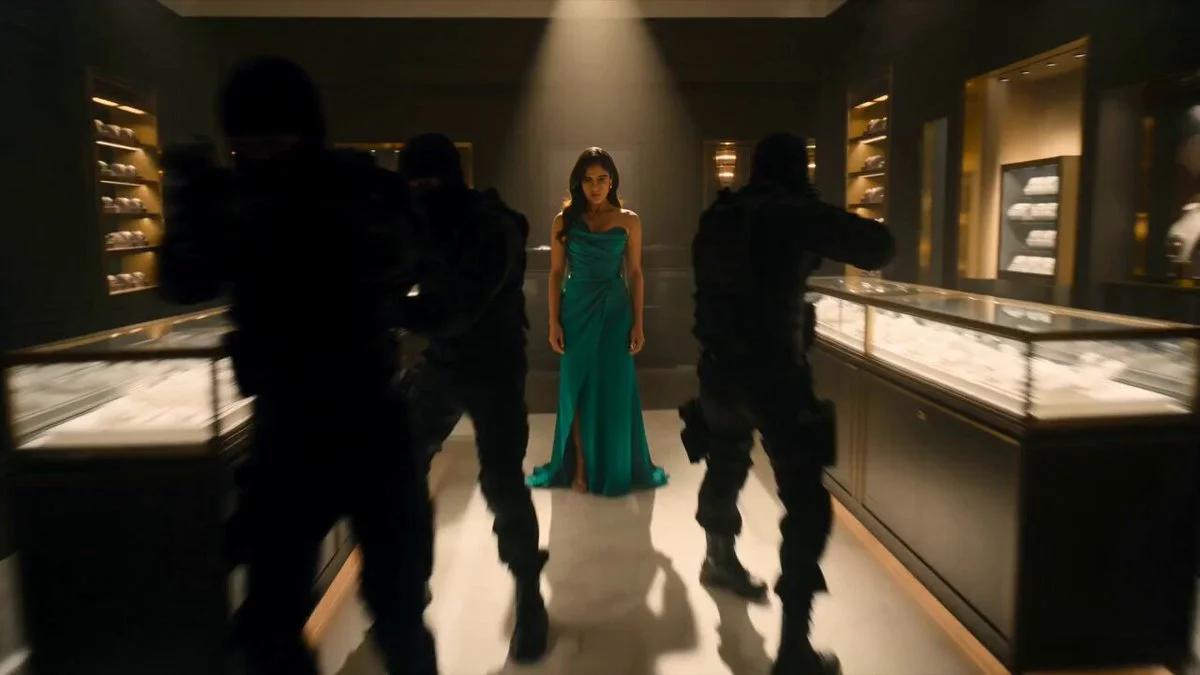
A woman in a green gown confronts masked thieves among shattered display cases, then calmly examines a ring. Fast action is balanced by a calm ring-inspection ending. Glass cases, warm spotlights and scattered jewellery make the boutique readable, but too many simultaneous attacks can obscure the hero and the choreography.
How to adapt the method
Adapt the setting and limit the number of actions to keep the choreography readable. The result depicts fictional combat without graphic injury. The original prompt asks for 4K quality, but the file shown here is 1280 × 720 pixels and about 10 seconds long; it is not a 4K file. The prompt sets no duration; Studio proposes 10 seconds based on the observed clip. No source image is attached as a reference. Inspect contacts between characters, the vault and landing, and whether the ring remains visible at the end. Simplify the action list when motion becomes incoherent; the source’s 4K wording does not change the retained file’s actual resolution.
How to use this prompt
1
Read the complete prompt alongside the result. Identify the subject, framing, lighting and visual style before changing the brief.
2
Open the selected recipe in Studio with its model and starting settings. Check the available version, frame and resolution before generating; a size written in the source prompt is not an output setting or a guarantee.
3
Use the customization fields below to rewrite the brief: composition. Keep the composition and other constraints that make this example useful. Check the current credit quote before submitting.
What to check in your result
Watch the entire clip. Compare the main action, camera movement and scene continuity with the brief, and check for changing faces, distorted hands or unexpected cuts. A similar prompt can give a different result; refine the motion rather than assuming an exact copy.
Variables to customize
composition
A woman in a green gown confronts masked thieves among shattered display cases, then calmly examines a ring.
Source and attribution
This example is attributed to Mimu | AI Tools & News @mimu_ai1.