A red bicycle against a pastel blue wall — AI Image Prompt
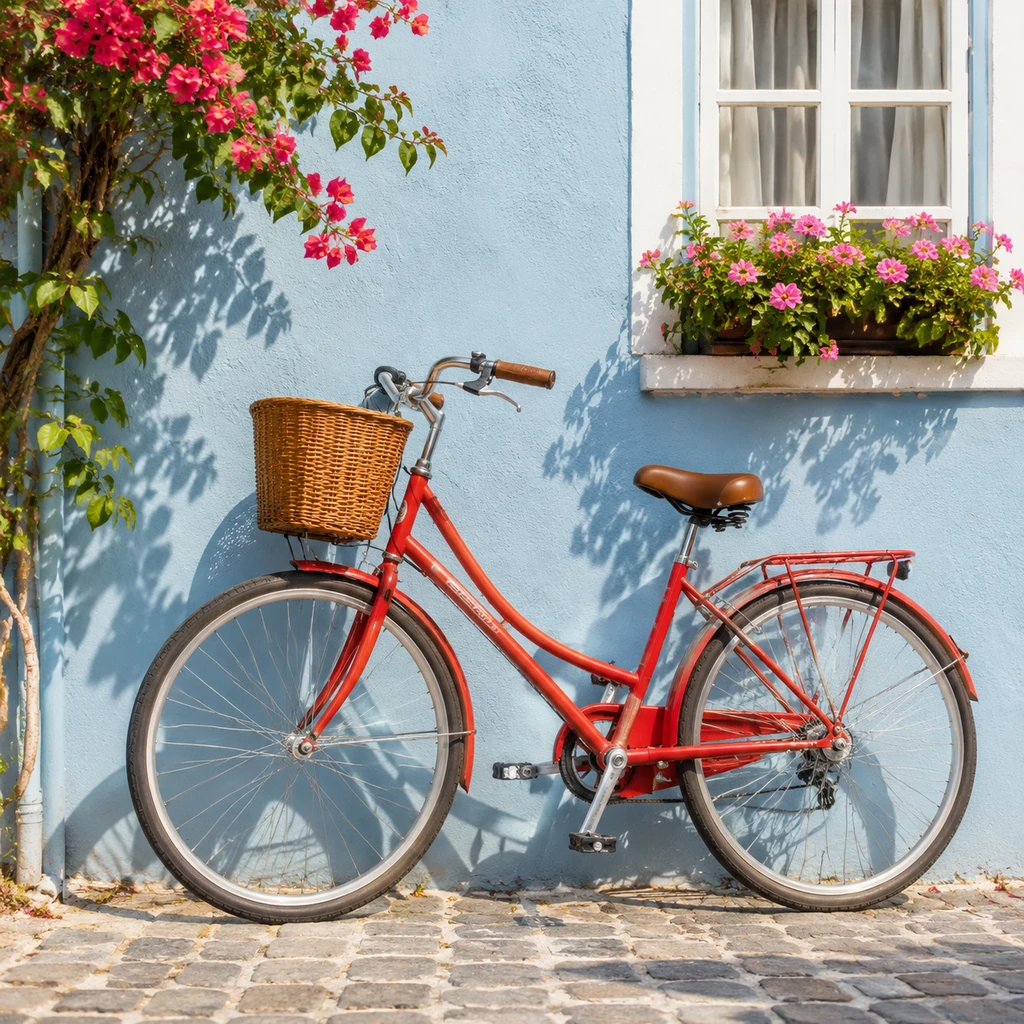
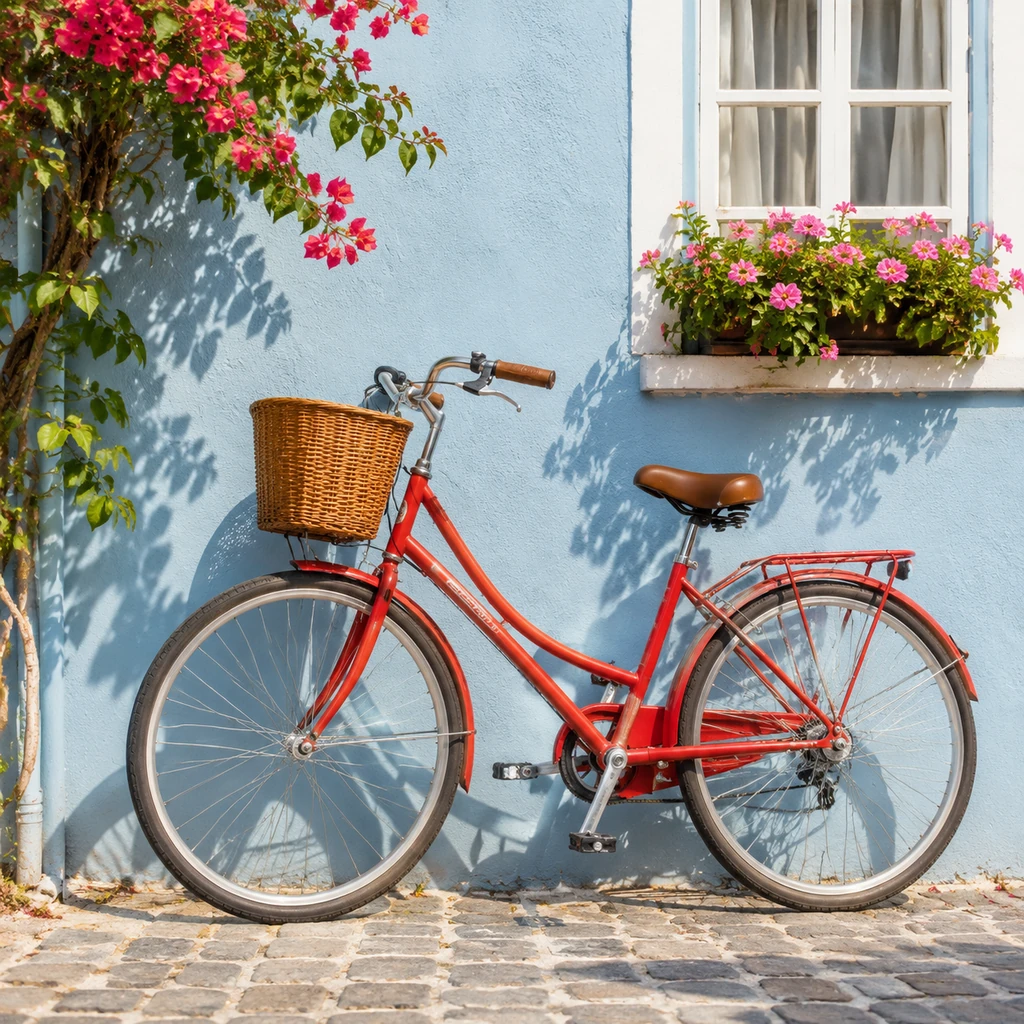
A red city bicycle with a wicker basket and a brown saddle leans against a pastel blue wall on a cobbled street, with pink bougainvillea, a flower box and sharp afternoon shadows.
What the image shows and why the short prompt works
A glossy red step-through city bicycle stands in the center of the frame, leaning against a smooth pastel blue wall. It has a woven wicker basket on the front, a brown leather saddle, a rear rack and white-walled tires. Hard sunlight casts the bicycle's shadow and the shadows of leaves onto the wall. Pink bougainvillea hangs from the top left, a white window above holds a box of pink flowers, and the bicycle rests on warm grey cobblestones. The prompt pairs two strong colors (a red bicycle and a pastel blue wall), adds one light condition (a sunny street) and names the genre (photorealistic). Complementary colors make the subject stand out at once, and sunlight gives crisp shadows that add depth. Because the prompt is so short, the model filled the scene with matching details, such as the basket, flowers and cobbles, that suit a sunny Mediterranean-style street.
How to adapt the method
Keep the two-color pairing and swap the object and wall (a yellow scooter against a teal door, a green vintage car against a pink wall). Change the light to golden hour or soft overcast for a calmer mood. If you want an empty, minimal scene, say so in the prompt; otherwise the model adds props such as flowers and baskets. Owner-supplied prompt: the exact text used for this output, unchanged.
How to use this prompt
1
Read the complete prompt alongside the result. Identify the subject, framing, lighting and visual style before changing the brief.
2
Open the selected recipe in Studio with its model and starting settings. Check the available version, frame and resolution before generating; a size written in the source prompt is not an output setting or a guarantee.
3
Use the customization fields below to rewrite the brief: Subject / Delivered dimensions. Keep the composition and other constraints that make this example useful. Check the current credit quote before submitting.
What to check in your result
Compare the result with the chosen example: subject position, light direction and the balance between foreground and background. Inspect hands, faces, product shapes and any text at full size. Change one variable at a time so you can judge what improved.
Variables to customize
Subject
A red bicycle against a pastel blue wall in a sunny street