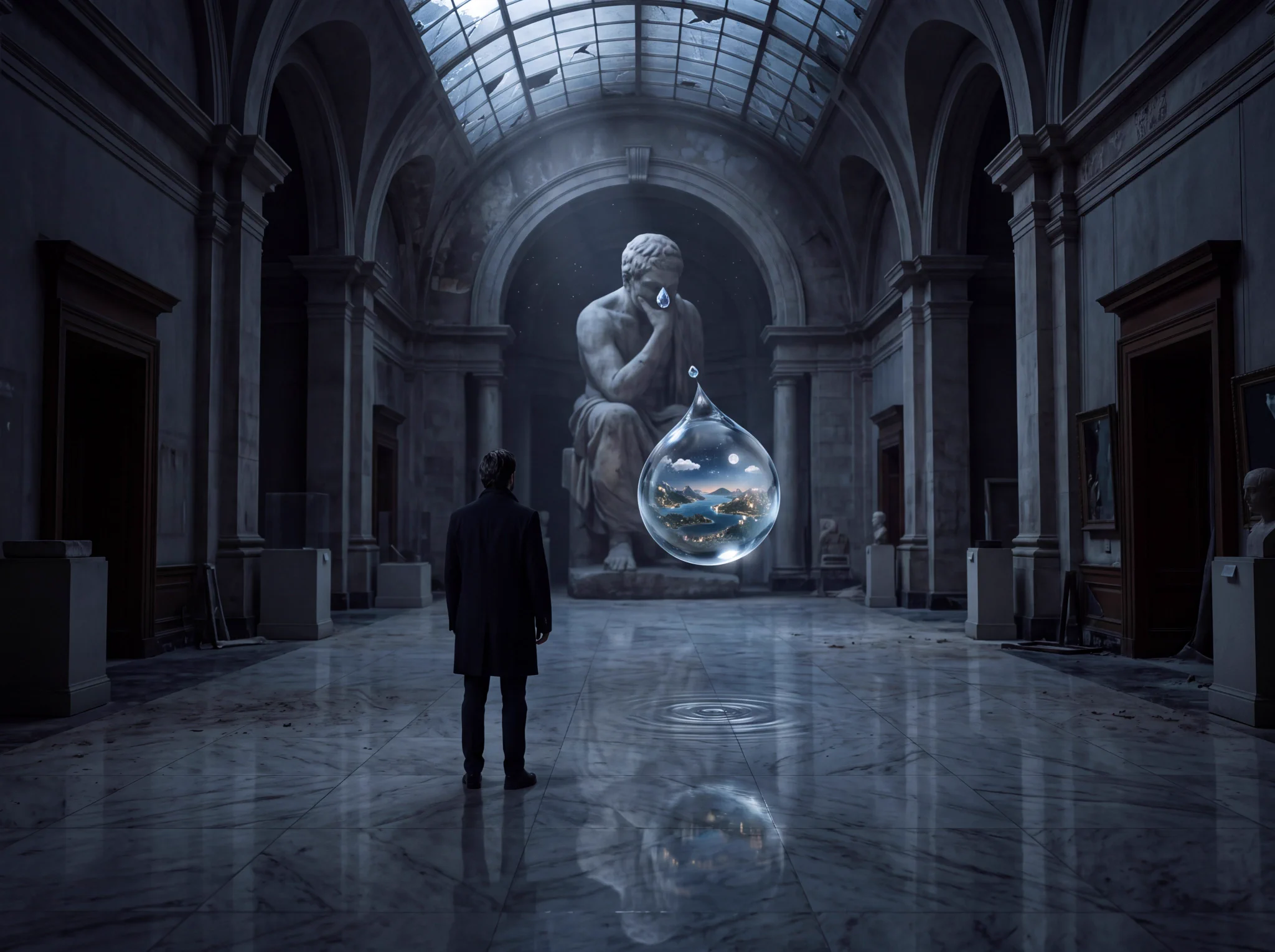
A visitor faces a colossal statue and a suspended transparent tear holding a miniature landscape inside a moonlit museum. The small observer, monumental statue and luminous droplet establish three scales within the museum hall. Leading lines draw attention to the contained landscape, while restrained inner light lets the tear remain transparent rather than becoming a glowing opaque sphere.
How to adapt the method
Use the self-contained prompt with Nano Banana Pro, explicitly named in the source post. Establish the great hall and its leading lines before placing the back-view observer in front of the statue. Make the suspended tear the meeting point between the surrounding museum and the miniature landscape visible through its surface. Separate cool moonlight from the restrained inner illumination; marble reflections and ripples below the tear connect the impossible event to the room. No reference image is required by this recipe.
Limitations: This is a generated image, not a photograph of a real museum. The retained source file is 2048 × 1529 pixels; the 4k header and 8K prompt wording do not prove a native output at either resolution. Two smaller droplets accompany the main tear, which is not a perfect sphere. One-metre clearance and physical scale cannot be measured from the image; exact literal reproduction is not promised. Miniature storms, headlights, watching paintings and hundreds of interactions cannot all be verified individually. The 35mm, ray-tracing and perfect-optics wording guides appearance, not an attested camera or physical simulation. No aspect ratio is set by the prompt. The suggested 4:3 Studio option approximates the observed canvas, not a verified source setting. Falling and rippling describe a frozen moment; no motion or audio is supplied. Check the tear edge, museum reflections and the tiny landscape through the surface. Keep impossible events visually consistent, but do not present the requested perfect optics, one-metre clearance or miniature details as measured physical facts.
How to use this prompt
1
Read the complete prompt alongside the result. Identify the subject, framing, lighting and visual style before changing the brief.
2
Open the selected recipe in Studio with its model and starting settings. Check the available version, frame and resolution before generating; a size written in the source prompt is not an output setting or a guarantee.
3
Use the customization fields below to rewrite the brief: Narrative scales / Setting and perspective / Contained world / Light and visual grounding. Keep the composition and other constraints that make this example useful. Check the current credit quote before submitting.
What to check in your result
Compare the result with the chosen example: subject position, light direction and the balance between foreground and background. Inspect hands, faces, product shapes and any text at full size. Change one variable at a time so you can judge what improved.
Variables to customize
Narrative scales
Keep three levels readable: human observer, monumental statue and miniature landscape inside the tear.
Setting and perspective
A classical night-time gallery, damaged glass roof, marble floor and leading lines aimed at the phenomenon.
Contained world
Mountains, water, small lights and a moon seen through a transparent enclosure, without spreading the inner world across the museum.
Light and visual grounding
Moonlight, subtle inner illumination, a floor reflection and ripples below the tear, without overwhelming glow.
Source and attribution
This example is attributed to WeWant Mars @Madhuribhai.