A plane passenger peels off a wig and a full-head mask — AI Video Prompt
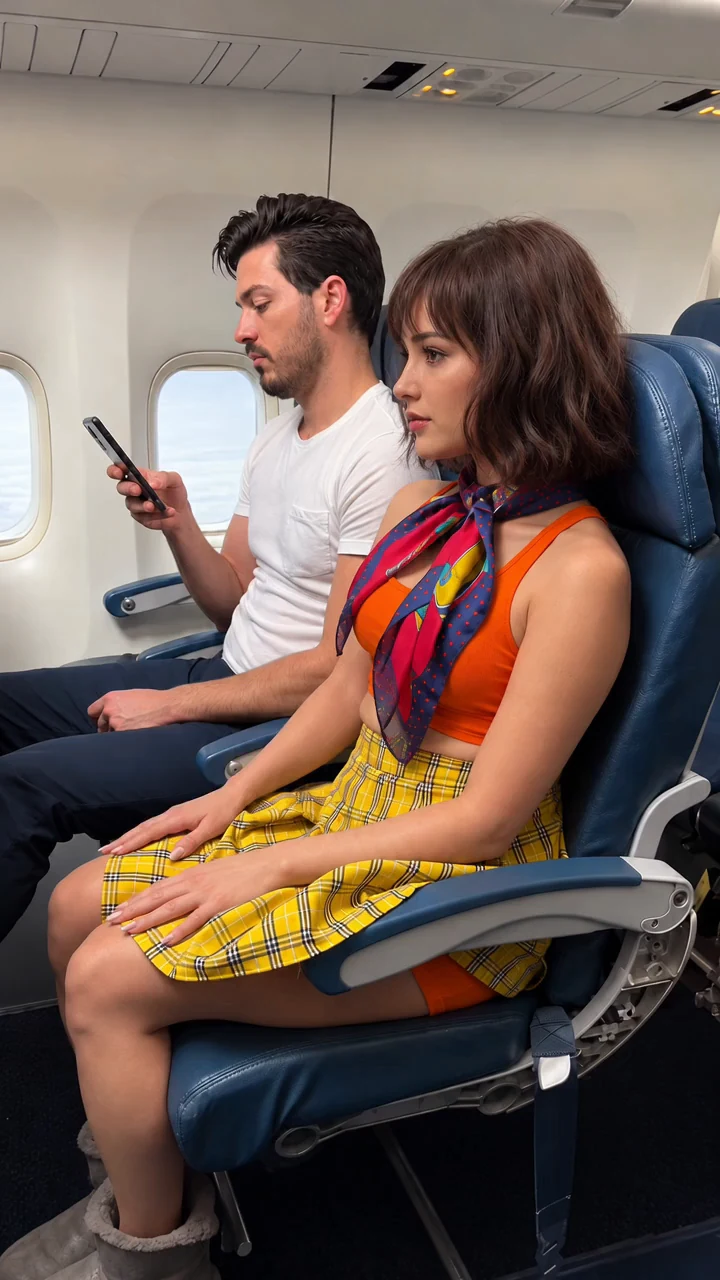
An adult woman in an airplane seat lifts off a brown wig, removes her scarf, then peels away a bald full-head costume mask to reveal long blonde hair while the man beside her stares.
Revealing a disguise layer by layer from three ordered reference images
An adult woman sits in a blue airplane seat beside a man looking at his phone. She lifts off a short brown wig, revealing a bald full-head costume mask with a complete face, and puts the wig on her lap. She removes her scarf, grips the mask under her chin and peels it up over her head. Long blonde hair falls out underneath. She lays the face-up mask on her lap with the wig and scarf, smooths her hair and settles back while the man stares at her. Each reference image fixes one stage of the reveal: the convincing opening look, the bald mask under the wig, and the final face with the removed props. Generating images 2 and 3 from image 1 keeps the same passengers, seats and camera. The video prompt then times each removal, keeps the mask a single hollow prop with a recognizable face, and limits the man to small reactions so the reveal stays readable.
How to adapt the method
Change the disguise or the setting in the three image prompts, keeping the same people, seats and camera across all three. Generate them in order with the earlier images attached, then update the video prompt so each @Image reference and each timed step still matches. For a longer or shorter clip, adjust the timed beats and the duration together. Owner-supplied prompts: three reference-image prompts and the video prompt used for this clip.
How to use this prompt
1
Generate image 1 first, then image 2 with image 1 as a reference, then image 3 with images 1 and 2. Upload them to the video step in this order: image 1 (opening look), image 2 (wig off, mask on), image 3 (mask removed). The video prompt calls them @Image1, @Image2 and @Image3.
2
Open the selected recipe in Studio with its model and starting settings. Check the available version, frame and resolution before generating; a size written in the source prompt is not an output setting or a guarantee.
3
Use the customization fields below to rewrite the brief: Reference images / Delivered dimensions / Delivered duration. Keep the composition and other constraints that make this example useful. Check the current credit quote before submitting.
What to check in your result
Watch the entire clip. Compare the main action, camera movement and scene continuity with the brief, and check for changing faces, distorted hands or unexpected cuts. A similar prompt can give a different result; refine the motion rather than assuming an exact copy.
Variables to customize
Reference images
Three ordered images: opening look, wig off with mask on, mask removed