Up to 40% less per creditEligible accounts: 30 signup credits
  • Home
  • Agent
  • Images
  • Videos
  • Prompts
  • Assets
  • Plugins

Loading…

FilmLune

From real examples to AI image and video creation.

Models

Image models

  • GPT Image
  • Nano Banana
  • Seedream
  • Midjourney
Show moreShow less
  • Grok Imagine Image
  • Recraft
  • FLUX Image
  • Qwen Image

Video models

  • Seedance
  • Veo
  • MiniMax
  • Grok Video
Show moreShow less
  • Kling
  • Wan
  • Gemini Omni Flash
  • HappyHorse
  • FLUX Video

Create

  • Open Studio

Tools & Skills

  • Features
  • MCP server

Resources

  • All resources
  • Changelog

Prompts

  • Explore prompts
  • Image prompts
  • Video prompts

FilmLune

  • Contact
  • Pricing

Community

  • Follow FilmLune on X ↗
  • Join Discord ↗

Legal and privacy

  • Terms
  • Refunds
  • Privacy Policy
  • GDPR
  • CCPA
  • Cookie choices
  • Sharing rules

© FilmLuneKeep creative work and trustworthy information close at hand.

Home

Loading…

Prompts/AI image prompts/Character bible sheet for the chef and the cat
esc
Character bible sheet for the chef and the cat
TechieSA@TechieBySA
GPT Image logoGPT Image
PROMPT
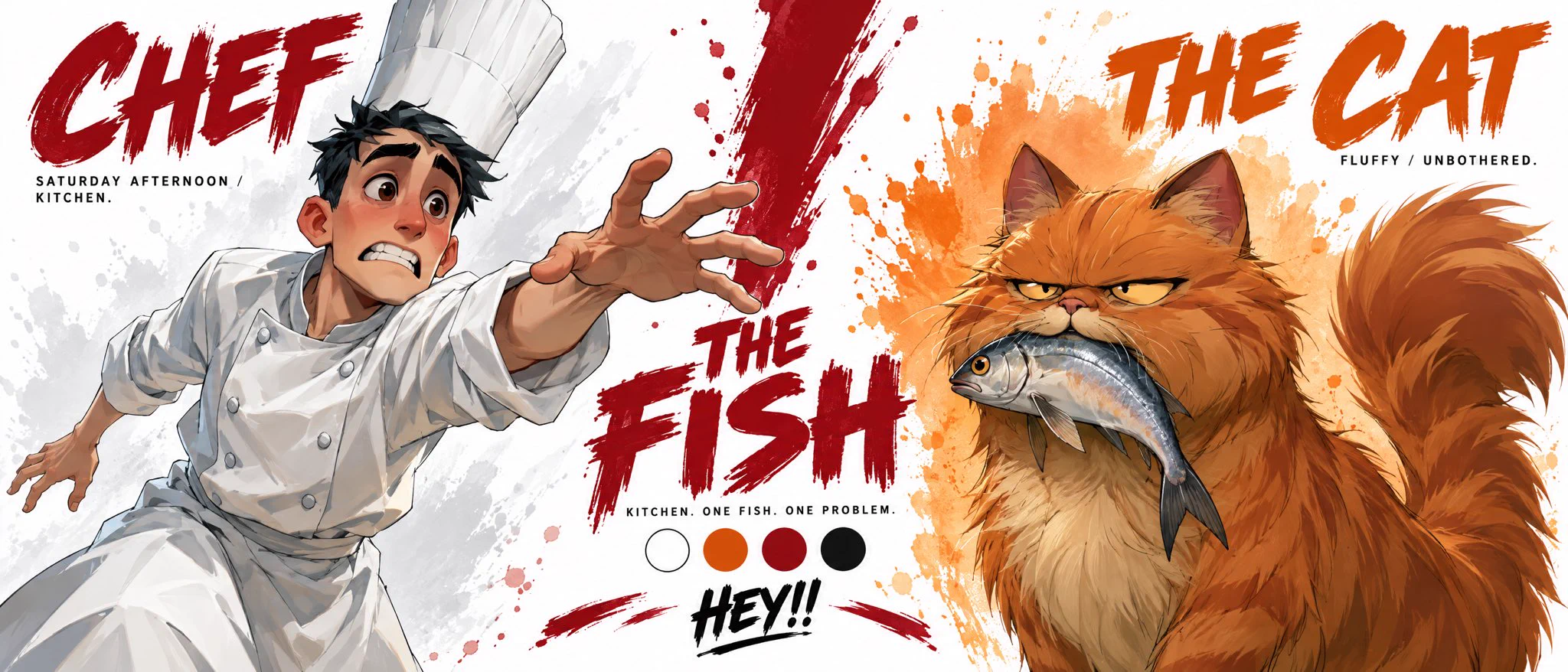
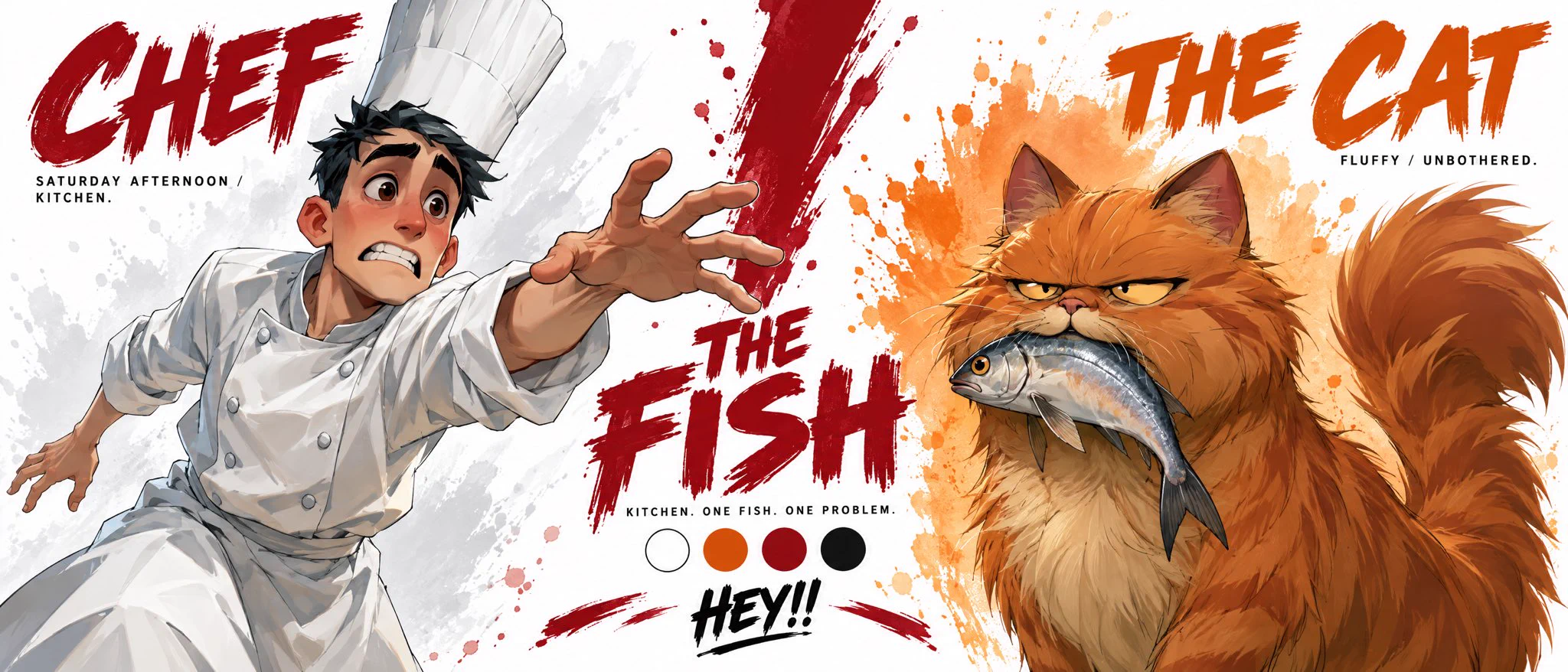
"Create a premium cinematic character bible sheet for THE CHEF & THE CAT. Use uploaded character sheets as strict visual reference for both characters. Do not change either's appearance.

LAYOUT: Split screen partner format. Two halves divided by a bold dramatic dividing element in the center.

LEFT SIDE — CHEF: Clean white watercolor splash behind him fading into center. Large bold brushstroke text CHEF top left in deep red. Below small text: SATURDAY AFTERNOON / KITCHEN. One massive dramatic cropped hero image of the chef from mid-thigh up — desperate exhausted expression, white chef uniform, tall white hat slightly crooked, one arm outstretched reaching for something he can't catch, white watercolor splash radiating behind him.

CENTER: Bold dramatic THE FISH in deep red, slightly worn. Below it small text: KITCHEN. ONE FISH. ONE PROBLEM.

RIGHT SIDE — CAT: Warm orange watercolor splash behind him fading into center. Large bold brushstroke text THE CAT top right in deep orange. Below small text: FLUFFY / UNBOTHERED. One massive dramatic cropped hero image of the cat from mid-body up — narrow judgemental eyes, smug expression, large fish dangling from its mouth, arrogant tail curled upward, orange watercolor splash radiating behind him.

BOTTOM CENTER: Color palette — clean white, warm orange, deep red, black. Tagline centered: HEY!!

OVERALL: Clean white background, white watercolor left side, warm orange watercolor right side, dramatic deep red center divider, bold flat color blocking, chunky simplified forms, hard edge shadows, thick black outlines, vibrant saturated colors, minimal clean typography, cinematic cel-shaded 3D anime, hand-painted textures, not cartoon not Disney not Pixar, print ready."

In this collection

Prompt guide · AI image

Character bible sheet for the chef and the cat — AI Image Prompt

A split character sheet contrasts an exhausted chef and an unbothered cat around one fish with a cinematic graphic hierarchy.

  • ModelGPT Image 2.5
  • Use caseEditorial, posters & communications
  • StyleCinematic character bible sheet
  • CollectionCharacter presentation boards

Why this example is useful

A split character sheet contrasts an exhausted chef and an unbothered cat around one fish with a cinematic graphic hierarchy. A central fish and split layout explain the relationship between the reaching chef and the smug cat. White and orange watercolor areas separate the partners, while brush titles and a smaller palette strip organize the character bible.

How to adapt the method

Use the exact source prompt with your own chef and cat character sheets; the finished source output is not attached automatically. Preserve the split layout, central fish, palette and requested labels. Inspect reference continuity for both characters, the fish-in-mouth overlap and the reaching arm. Check each caption independently; this is a character-development sheet, not an animated story or a complete production bible.

How to use this prompt

  1. 1

    Read the complete prompt alongside the result. Identify the subject, framing, lighting and visual style before changing the brief.

  2. 2

    Open the selected recipe in Studio with its model and starting settings. Check the available version, frame and resolution before generating; a size written in the source prompt is not an output setting or a guarantee.

  3. 3

    Use the customization fields below to rewrite the brief: Character references / Layout. Keep the composition and other constraints that make this example useful. Check the current credit quote before submitting.

What to check in your result

Compare the result with the chosen example: subject position, light direction and the balance between foreground and background. Inspect hands, faces, product shapes and any text at full size. Change one variable at a time so you can judge what improved.

Review the selected prompt and settings in Studio, then submit when you are ready.

Variables to customize

Character references
Your own chef and cat character sheets.
Layout
Two characters separated by a central fish, with a palette and labels.

Source and attribution

This example is attributed to TechieSA @TechieBySA.

View the source on X

The work remains attributed to its public source; the link preserves access to its original context.

Report a rights or attribution issue

More recipes to explore

View all AI image examples
Cyberpunk cat character sheet — three viewsCyberpunk cat character sheet — three viewsLate-1990s coastal summer travel editorialLate-1990s coastal summer travel editorialVintage Watercolor Travel PostersVintage Watercolor Travel PostersAlgeria Editorial Travel Collage PosterAlgeria Editorial Travel Collage Poster