

Halloween Wallpapers for Phone & Desktop
A little spooky. A little sweet. Find a Halloween background that fits your screen, or make one your own.
Find your Halloween wallpaper
Free downloadPumpkin glow
Midnight black cat
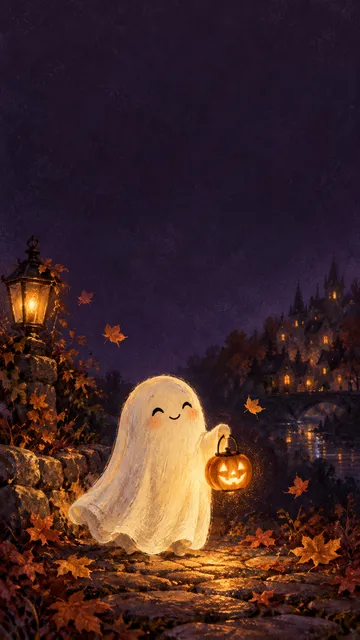
Pastel ghost friends
Moonlit haunted manor
Emerald witch cottage
Minimal pumpkin night
Neon ghost
Original AI-assisted illustrations made for FilmLune. Free for personal wallpaper use. Preview clocks are not part of the download.
Create a Halloween wallpaper with AI
Choose a theme, mood and palette. Generate one new image; the gallery illustration is inspiration, not an uploaded reference.
GPT Image 2.5 · 1K · 9:16
Custom AI generation uses the current Image Studio price shown on the button. One image per request, saved privately in History → Tool creations. Gallery downloads are free.
Choose a theme, mood and palette. Generate one new image; the gallery illustration is inspiration, not an uploaded reference.
Make it fit your screen
- Choose a cute, spooky or aesthetic Halloween wallpaper. Preview it as a phone background or desktop wallpaper.
- Choose a PNG size. Fill and crop to cover the screen, or keep the whole image. Adjust the crop before downloading.
- On iPhone or Android, save the PNG and set it as your wallpaper. On a computer, choose it in your background settings. Your device may crop it again.
FAQ
Are these Halloween wallpapers free?
The eight gallery designs are free to download for personal wallpaper use, without signing in. Making a new image with AI uses the displayed FilmLune credits.
Can I use a Halloween wallpaper on iPhone or desktop?
Yes. Export portrait PNGs at 1080 × 1920 or 1290 × 2796 for phones, or landscape PNGs at 1920 × 1080 or 2560 × 1440 for desktop. These are export dimensions; resizing does not create new detail.
Can I make a cute pink or dark Halloween wallpaper?
Choose a gallery design, or use the AI creator to combine a theme, style and color. Quiet-space direction helps leave room for a clock, though AI composition can vary.
About this tool: Halloween Wallpapers for Phone & Desktop
Download original Halloween wallpaper for your phone or desktop. Find cute ghosts, black cats and spooky scenes, or create your own with AI.
Custom AI generation uses the current Image Studio price shown on the button. One image per request, saved privately in History → Tool creations. Gallery downloads are free.
Choose a phone or desktop proportion and describe a cute pumpkin scene, haunted setting or another original Halloween direction. A wallpaper needs room where clocks, app icons or desktop shortcuts may appear, so tell the generator where the main subject and calmer space should sit.
A clear, well-lit original gives the editor more information. Describe one main change and what must stay unchanged. Choose an output ratio suited to your intended use.
What you can do
AI may change fine details. Check the result before using it.
Inspect the subject placement and contrast at the actual display size. The generated image contains no device frame, clock or app icons. Interface positions vary between devices. Existing image prompt examples can provide inspiration. Creating a new wallpaper uses the selected model and the credits displayed before submission.
Uses the same credits as Image Studio. The price is shown before you start. Results are saved in History → Tool creations.
AI output is private and appears in History → Tool creations. Review it, download it, or reuse it in your next image or video task.
Frequently asked questions
Does this tool cost credits?
AI generation requires sign-in. The selected size and quality determine the credit quote shown before submission; a free page visit does not mean free generation.
Where is my result saved?
AI output is private and appears in History → Tool creations. Review it, download it, or reuse it in your next image or video task.
What should I check before using the result?
Compare the original and output at full size. Check faces, edges, text and product details. AI can change small details or estimate information missing from the source.