

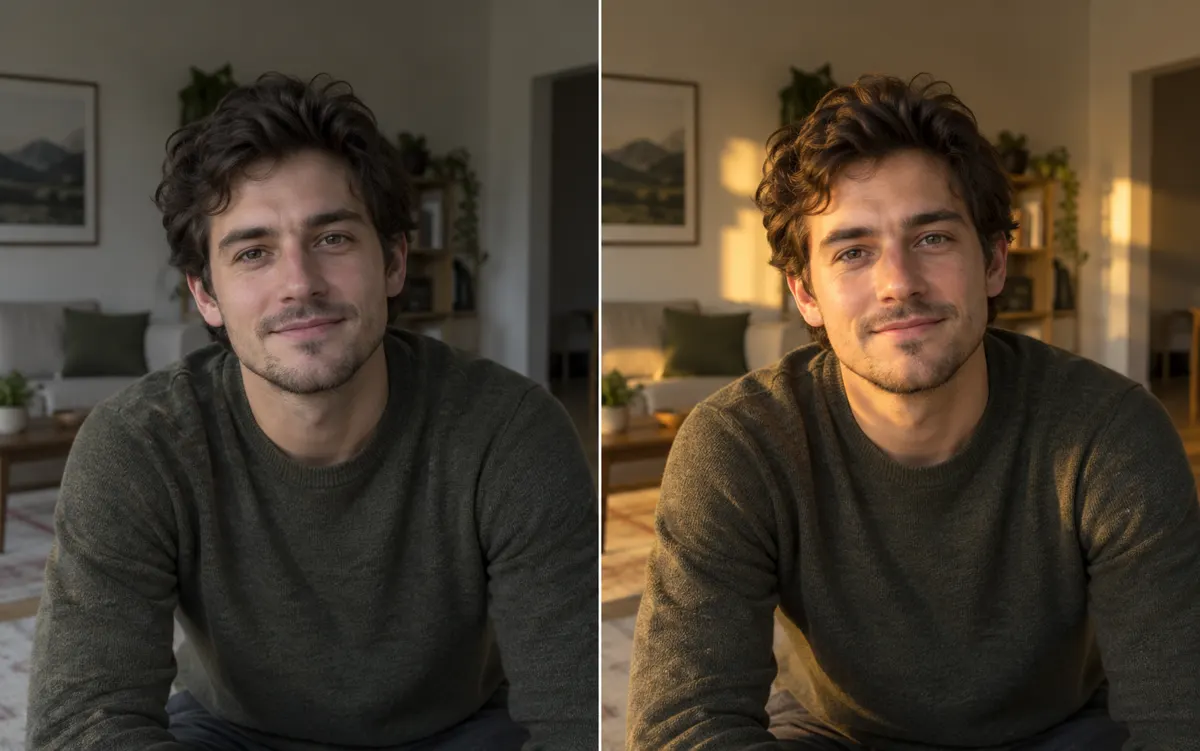
About this tool: Relight a photo with AI
Change the visual lighting of a portrait or product photo.
Choose lighting style, direction, strength and warmth. This is a new AI interpretation; check faces, labels, reflections and shadows.
Choose studio or window lighting, then front, left, right or back light as viewed in the image. Subtle, balanced and dramatic settings control the requested visual change, while neutral, warm and cool settings guide colour temperature. These controls describe an appearance rather than a measured physical lighting setup.
A clear, well-lit original gives the editor more information. Describe one main change and what must stay unchanged. Choose an output ratio suited to your intended use.
What you can do
AI may change fine details. Check the result before using it.
Check contact shadows, reflective surfaces and the brighter side of the face against the selected direction. Back light should leave enough fill to read the subject. Compare faces, labels and material texture with the original; relighting should not imply a new background or guaranteed identity preservation.
Uses the same credits as Image Studio. The price is shown before you start. Results are saved in History → Tool creations.
AI output is private and appears in History → Tool creations. Review it, download it, or reuse it in your next image or video task.