

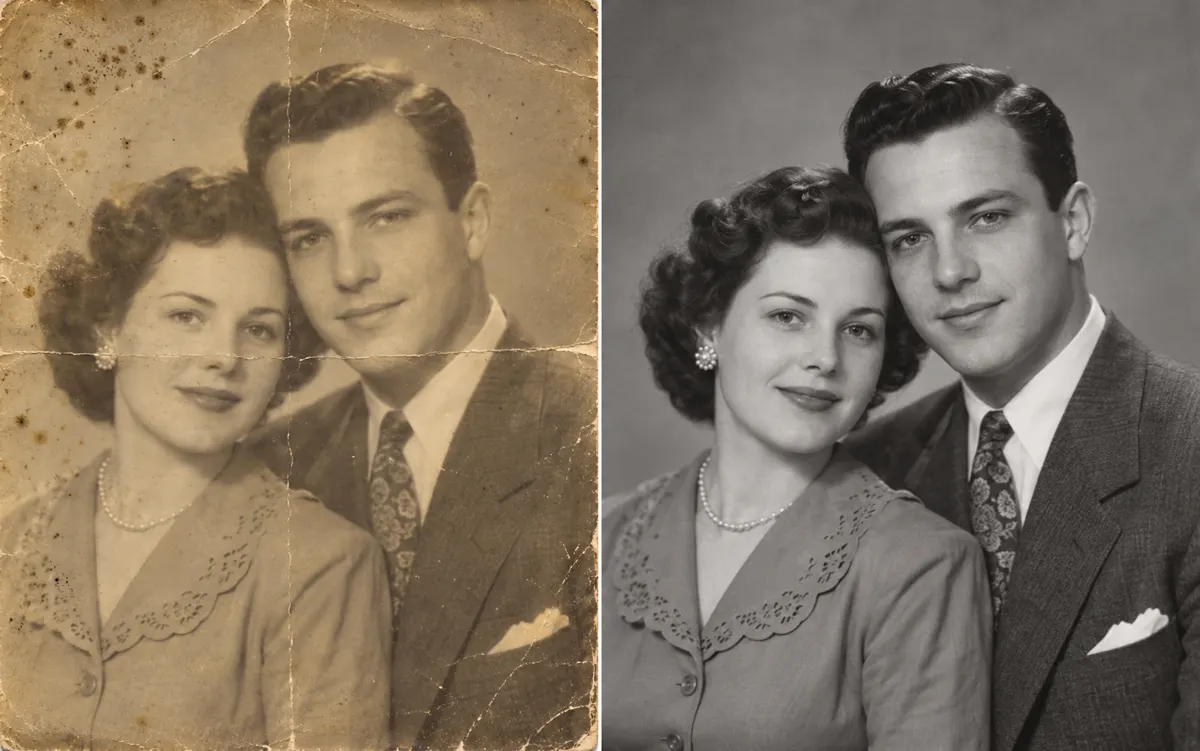
About this tool: Restore old photos
Gently repair scratches, fading and noise in an old photo with AI.
Keeps the original color or black and white. AI may alter details or infer damaged areas; compare faces and text with the original.
Describe scratches, fading or noise and point out faces, clothing and lettering that must remain recognizable. A restrained restoration brief is useful for family photographs where preserving the original character matters more than a heavily polished finish. The task retains the original monochrome or colour palette.
A clear, well-lit original gives the editor more information. Describe one main change and what must stay unchanged. Choose an output ratio suited to your intended use.
What you can do
AI may change fine details. Check the result before using it.
Inspect eyes, mouths, jewellery and writing at full size. When damage removes information, AI may infer details that were not present in the surviving pixels. Restoration is not proof of historical accuracy, and adding estimated colour is a separate colourization task.
Uses the same credits as Image Studio. The price is shown before you start. Results are saved in History → Tool creations.
AI output is private and appears in History → Tool creations. Review it, download it, or reuse it in your next image or video task.