

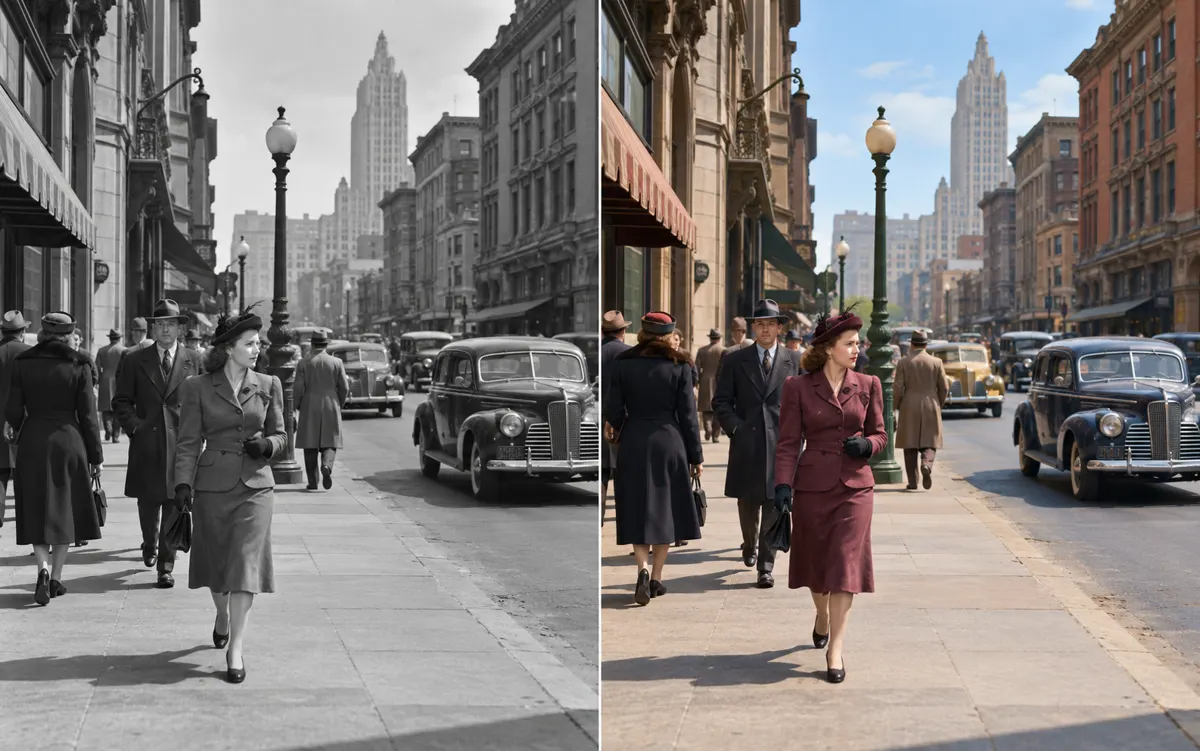
About this tool: Colorize black and white photos
Create a plausible color version of a monochrome photo with AI.
Colors are estimates, not verified historical facts. Check faces, clothing and skin tones against the original.
Upload a monochrome photograph and provide any colours you actually know, such as a uniform, dress or painted object. Leave unknown colours open to a restrained interpretation. The goal is a plausible colour version that preserves the composition and recognizable people rather than changing the scene.
A clear, well-lit original gives the editor more information. Describe one main change and what must stay unchanged. Choose an output ratio suited to your intended use.
What you can do
AI may change fine details. Check the result before using it.
Compare faces, clothing boundaries and background objects with the source. Check that skin tones remain natural and known colours stay consistent. The result cannot prove the historical colour of an object; use restoration when your primary task is removing damage while preserving black and white.
Uses the same credits as Image Studio. The price is shown before you start. Results are saved in History → Tool creations.
AI output is private and appears in History → Tool creations. Review it, download it, or reuse it in your next image or video task.