

About this tool: Product detail images
Turn a product photo into a hero, detail or lifestyle image.
Choose one image type per generation. Only include claims that are true for your product.
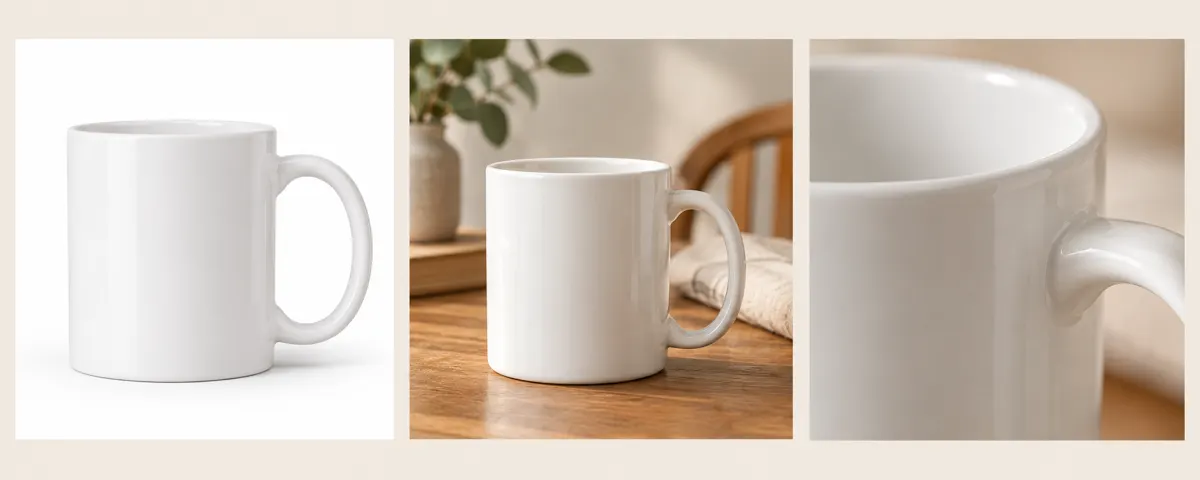
Use the product reference and select a hero image, close detail, lifestyle setting or material view. A hero brief can include your verified selling points; a detail or material brief should identify the exact surface or component that needs attention. Each generation produces one image, not a complete automatic listing gallery.
A clear, well-lit original gives the editor more information. Describe one main change and what must stay unchanged. Choose an output ratio suited to your intended use.
What you can do
AI may change fine details. Check the result before using it.
Compare the product’s shape, packaging, logos, apparent scale and visible text with your reference. Supply only verified product descriptions; generated imagery does not validate certifications or performance claims. Use the local product mockup tool when you only need to place an existing design into a fixed frame or screen.
Uses the same credits as Image Studio. The price is shown before you start. Results are saved in History → Tool creations.
AI output is private and appears in History → Tool creations. Review it, download it, or reuse it in your next image or video task.
Frequently asked questions
Does this tool cost credits?
AI generation requires sign-in. The selected size and quality determine the credit quote shown before submission; a free page visit does not mean free generation.
Where is my result saved?
AI output is private and appears in History → Tool creations. Review it, download it, or reuse it in your next image or video task.
What should I check before using the result?
Compare the original and output at full size. Check faces, edges, text and product details. AI can change small details or estimate information missing from the source.